

Driving Through the Cloud: Exploring Data Center Alley in Ashburn, Virginia — Where the Internet Lives
About this English self-guided 1h:13m driving tour in Ashburn
Did you ever wonder where the Internet actually is?
Welcome to the Capitol of the Internet — right here in Northern Virginia, where up to 70% of the world’s online traffic passes through every single day.
But don’t expect monuments, fountains, or marble domes. In this capital city, the architecture is all business — massive, windowless fortresses quietly pulsing with energy. Instead of statues of presidents, you’ll find rows of chillers and generators keeping the cloud alive.
This is Data Center Alley, the world’s most connected neighborhood — the physical heart of the Internet. The “cloud”? It’s not floating in the sky; it’s humming behind these concrete walls.
Every photo you upload, every video you stream, every “Alexa!” you shout — chances are, it passes right through one of these buildings.
Inside, the security is next-level — part NASA, part Mission Impossible. Servers are sealed behind biometric gates, steel doors, and enough surveillance to make James Bond feel underdressed. Even employees can’t just stroll in — it takes background checks, codes, and at least one very serious guard who probably hasn’t smiled since Windows XP.
So why take this tour? Because this might be the only place in the world where you can see the Internet — without Wi-Fi.
You’ll meet the digital giants — Amazon, Google, Meta, Microsoft, and more — not by their logos, but by their cooling towers and substation grids. The bigger the chillers, the bigger the cloud.
You’ll also discover the scale of it all: acres of land, billions of watts of electricity, and fiber cables thinner than spaghetti, carrying the world’s information faster than a heartbeat.
So buckle up, digital tourist — this is your guided drive through the Capitol of the Internet.
It may not have monuments or fountains, but it holds something far more powerful — the cloud itself. Your cat videos, TikToks, Facebook posts, bank data, news feeds, and even government platforms — all locked safely behind concrete walls and steel cages.
Welcome to the boxy cloud — the world’s most guarded neighborhood, and the true home of the Internet.
- 1For the best experience, begin at the tour's recommended starting point and follow the stops in order.
- 2Want to start somewhere else? Simply use Start At on the tour screen, before tapping Start Tour, to begin from any stop.
- 3Need to detour or skip a stop along the way? Tap Tour Assistant (
![UCPlaces AI Bot Icon]() ) to use Force Play, Skip, and Back, for full flexibility.
) to use Force Play, Skip, and Back, for full flexibility.
 ) to use Force Play, Skip, and Back, for full flexibility.
Route Preview
- Category
- Language
- Mode
- Region
- Country
- City

Places (POIs) visited during this tour

44895 Prentice Dr, Sterling, VA 20166, USA
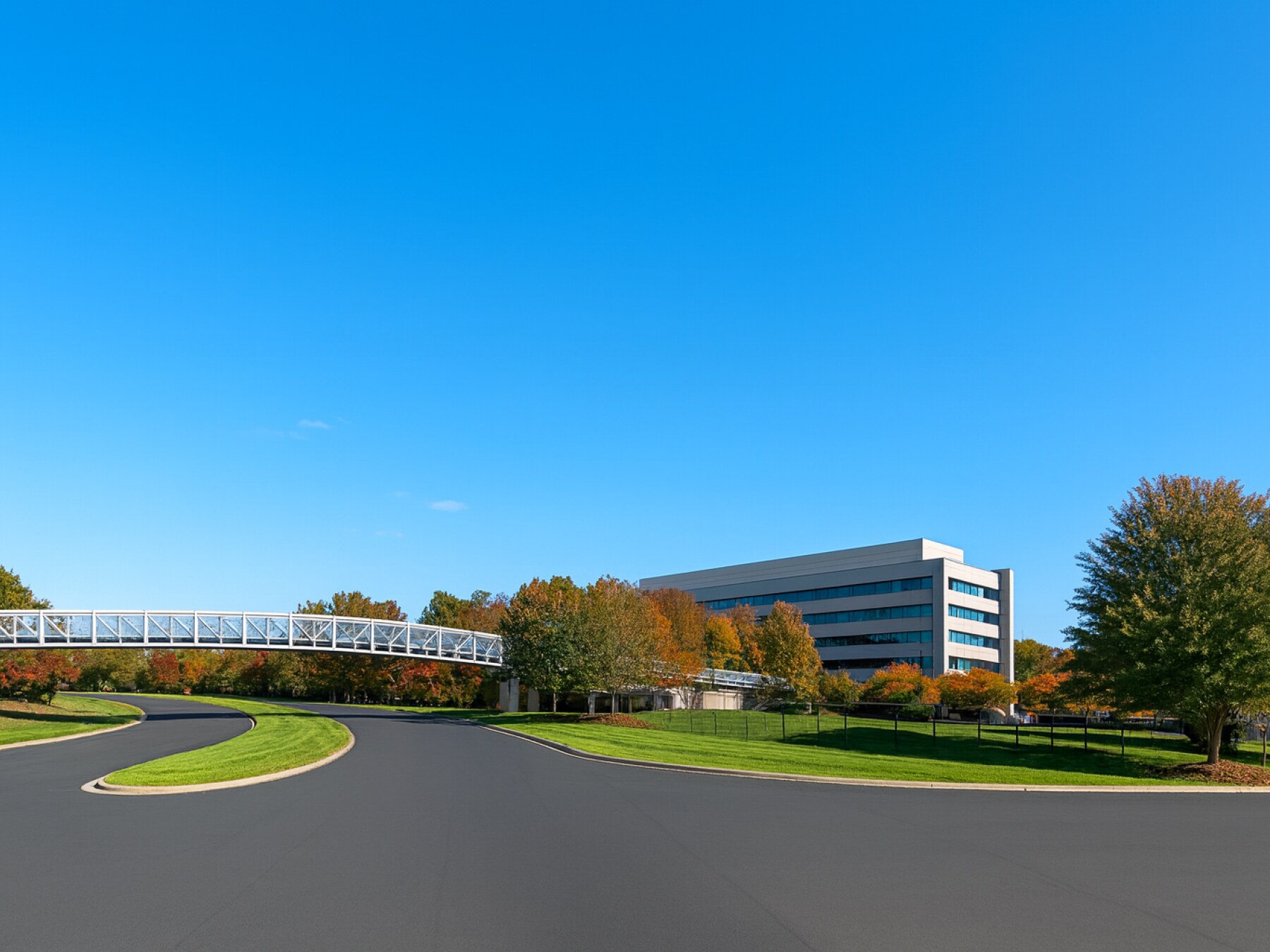
Back in the 1990s, when the web was still in its awkward teenage years, AOL bought one of the first Internet exchange points and moved it right here to Ashburn, Virginia. That single move turned this quiet suburb into a global digital hub.
Once AOL set up shop, everyone wanted to plug in nearby — Internet providers, telecoms, and eventually the tech giants you know today: Amazon, Google, Microsoft, Meta, and more.
In a way, the modern “cloud” started with that familiar AOL login tone. From dial-up to data centers — it all began here in Ashburn.
44607 Low Latency Ln, Sterling, VA 20166, USA
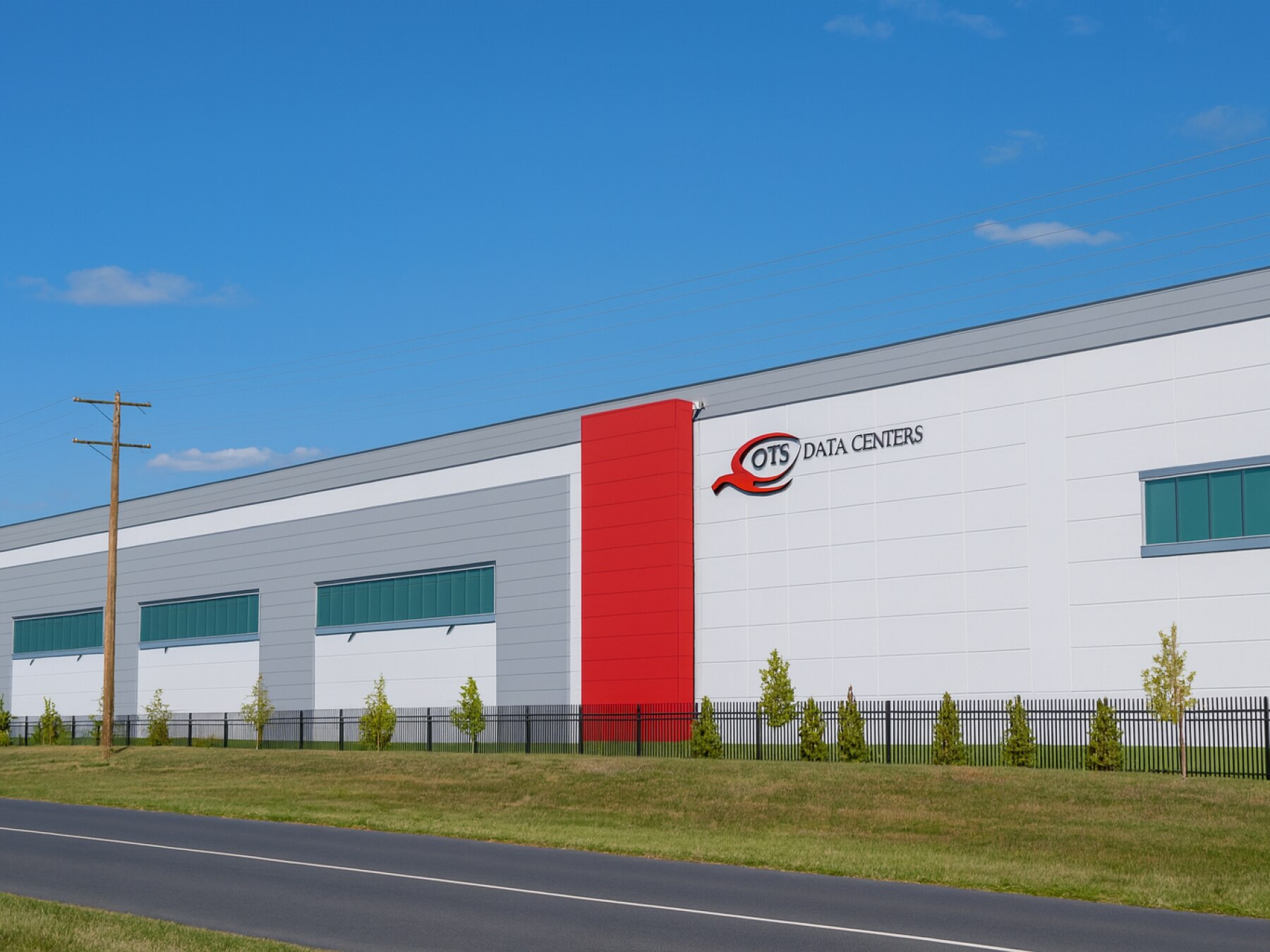
These two enormous buildings, known as DC1 and DC2, together can draw more than 80 megawatts of electricity — enough to power a small city. Inside are tens of thousands of servers that keep the online world running — from banking systems and business clouds to the social-media apps you probably used this morning.
At first glance, they look like windowless warehouses, but every design choice here has a purpose. The thick concrete walls help control temperature and fire risk. The absence of windows isn’t about secrecy — it’s about stability: sunlight and heat are the enemies of efficiency. Along the sides you’ll spot massive chillers and cooling towers that push cold air under raised floors to keep all that hardware at the perfect temperature. Those fenced-in boxes nearby? Backup generators and battery banks that can take over within seconds if the grid ever hiccups.
Why here? Beneath these quiet streets lies one of the densest intersections of fiber-optic cables in North America. That backbone made Ashburn the ideal place for data centers to cluster, and the ecosystem snowballed.
As for who’s inside — well, QTS keeps its tenant list private, but industry reports make it clear that TikTok’s parent company, ByteDance, leases capacity in facilities just like this to host U.S. user data. Meta — the company behind Facebook and Instagram — also runs servers in multiple QTS and Digital Realty sites across Ashburn, powering everything from your photo feed to your WhatsApp messages. Financial firms, cloud providers, and cybersecurity companies all share these halls too.
Think of it like a high-security apartment complex for the world’s information — each tenant with its own locked suite, its own power, its own network connection.
It’s not flashy, but it’s one of the most important addresses on Earth. Every photo you post, video you stream, or message you send might pass through this very block of Ashburn — the modern fortress of the Internet.
Read More
Place 1
How AOL Started the Cloud
Place 2
QTS Ashburn — The Modern Fortress of the Internet
Place 3
The Pacific Boulevard Paradox
Place 4
Equinix DC11 / Filigree Court cluster
Place 5
CenterSquare and Equinix, Beaumeade Circle
Place 6
Amazon Web Services
Place 7
Digital Realty ACC / Hastings / Chilum cluster
Place 8
NTT Global Data Centers
Place 9
Databank Data Center
Place 10
Sabey Data Centers
Place 11
The Invisible Highway Beneath You
Place 12
The Data Center Economy: How the Cloud Built a County
Place 13
The Power Behind the Cloud
Place 14
Compass Loudoun County I Campus
Place 15
Google Loudoun County Campus
Place 16
Potomac Energy Center
Place 17
Philip A. Bolen Memorial Park
Place 18
Data Alley Fun Facts
Place 19
Vantage Ashburn III (VA3)