

Cleveland's Best: Self-Guided Driving Tour of Iconic Landmarks & Culture
About this English self-guided 1h:06m driving tour in Cleveland
Welcome to Cleveland!
Get ready to discover a city that’s full of surprises—where rich history, vibrant culture, and lakeside beauty all come together. This self-guided driving tour is designed to give both first-time visitors and seasoned explorers a seamless journey through Cleveland’s most iconic sights.
We’ll kick things off along the Lake Erie shoreline at Edgewater Park, the perfect spot for that must-have selfie with the famous Cleveland Script Sign. From there, we’ll swing by the legendary West Side Market, where locals and visitors alike come for fresh food and old-world charm. Of course, no trip to Cleveland is complete without the Rock & Roll Hall of Fame, where music’s biggest legends live on.
You’ll see the civic heart of the city at Public Square, then roll into Playhouse Square, the nation’s largest performing arts center outside of New York, complete with its dazzling outdoor chandeliers. From there, the tour shifts to University Circle, Cleveland’s cultural hub, home to treasures like the Cleveland Museum of Art, the Cleveland Botanical Garden, and more.
So buckle up and let’s hit the road—Cleveland is ready to rock!
- 1For the best experience, begin at the tour's recommended starting point and follow the stops in order.
- 2Want to start somewhere else? Simply use Start At on the tour screen, before tapping Start Tour, to begin from any stop.
- 3Need to detour or skip a stop along the way? Tap Tour Assistant (
![UCPlaces AI Bot Icon]() ) to use Force Play, Skip, and Back, for full flexibility.
) to use Force Play, Skip, and Back, for full flexibility.
 ) to use Force Play, Skip, and Back, for full flexibility.
Route Preview
- Category
- Language
- Mode
- Region
- Country
- City

Places (POIs) visited during this tour

W Shoreway & w 73rd St on-Ramp, Cleveland, OH 44102, USA
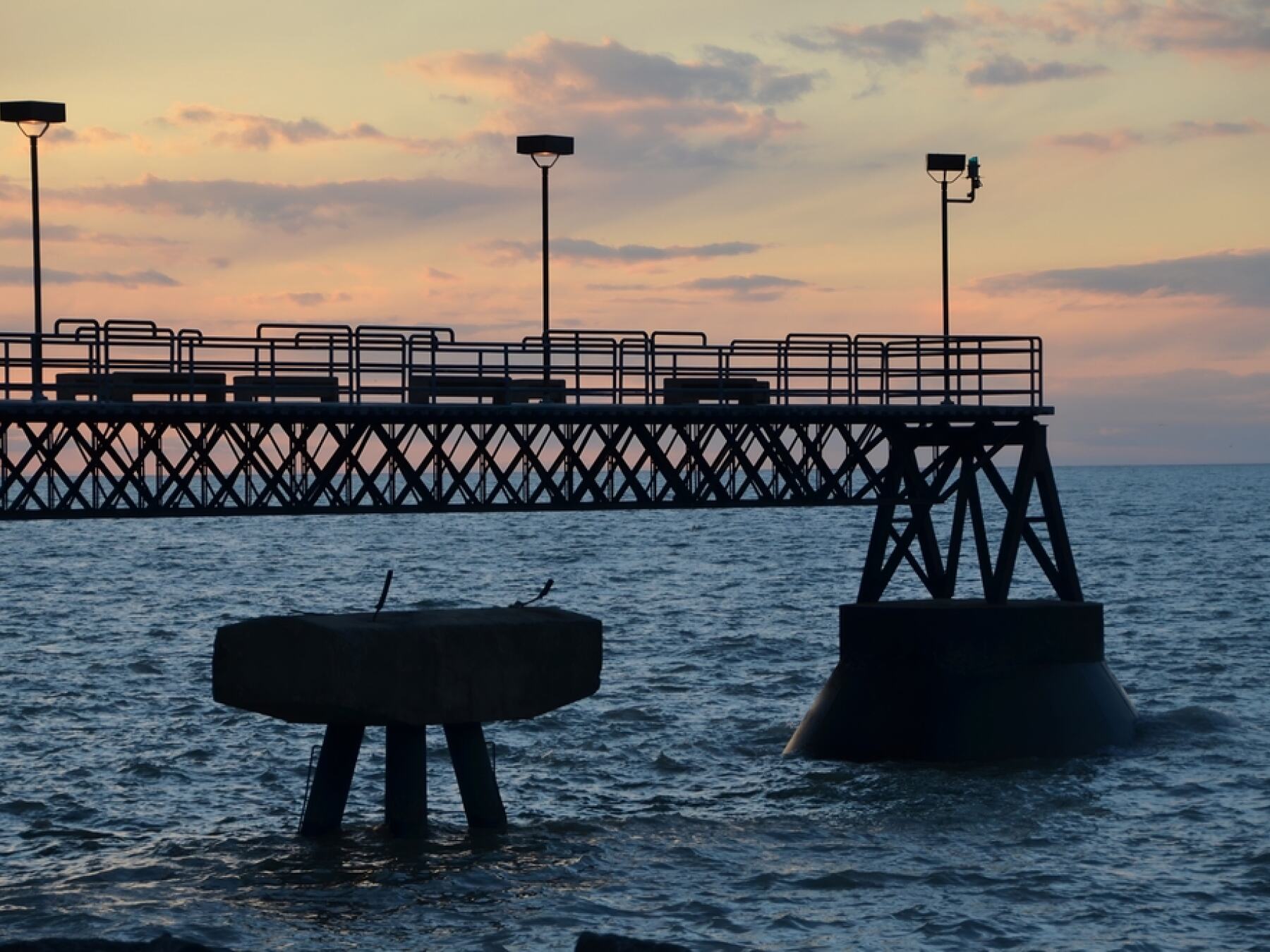
Edgewater has been a favorite gathering spot since the late 1800s, but recent revitalizations have really made it shine. You’ll find a mile-long beach perfect for swimming or soaking up the sun, fishing piers, picnic areas, and even a dog beach for your four-legged co-pilots. And don’t miss the Cleveland Script Sign perched above the shore—it’s one of the city’s most Instagram-worthy photo ops, with the downtown skyline rising in the distance.
The park is also a hub for events, from summer concerts and food truck rallies to family-friendly festivals. Locals love to grab a bite at the Edgewater Beach House, sip a cold drink, and watch the sunset over the lake. On a clear evening, the horizon feels endless, a reminder that Cleveland isn’t just an industrial city—it’s also a lakeside escape.
1 Upper Edgewater Dr, Cleveland, OH 44102, USA
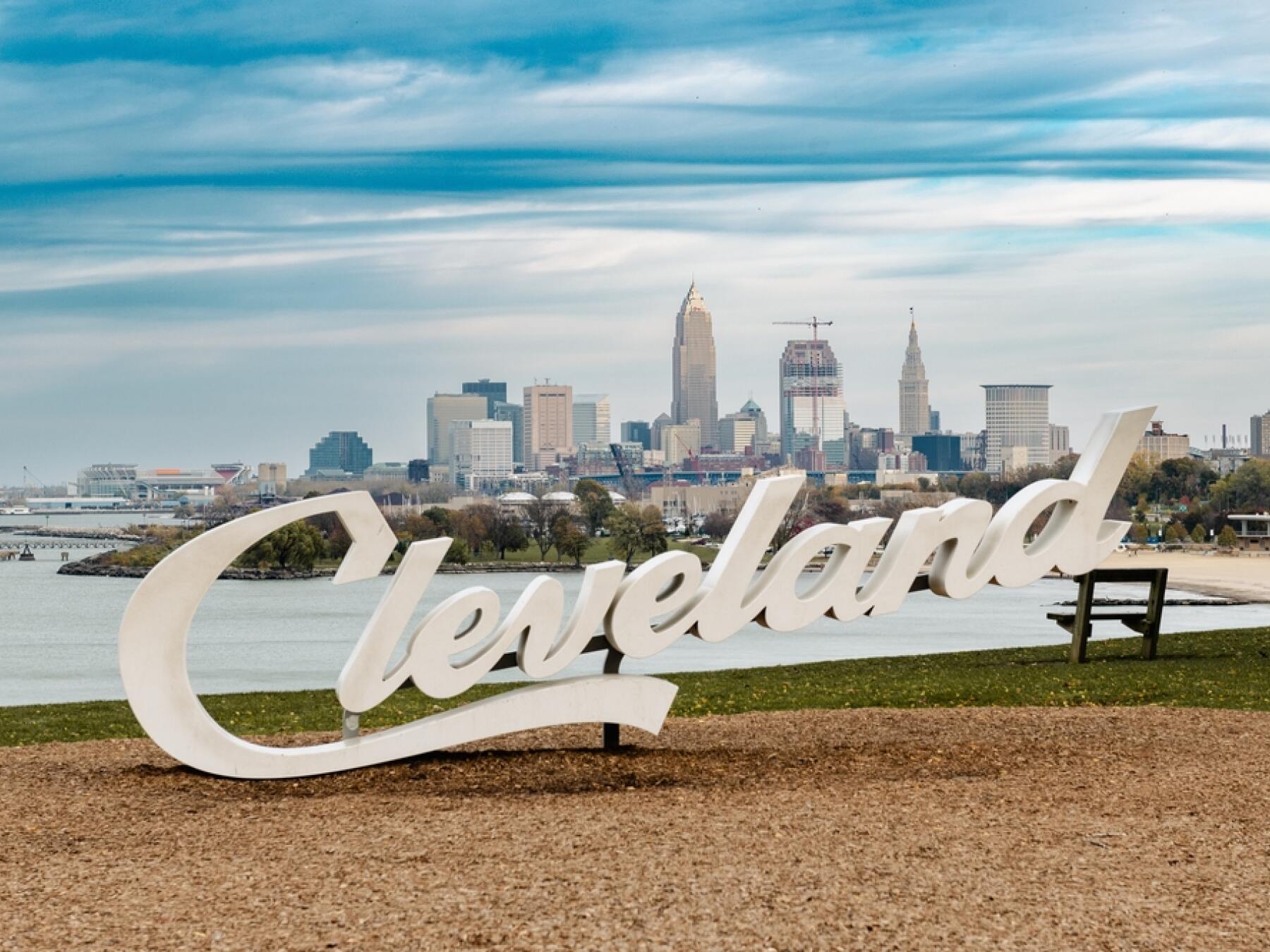
Installed in 2016 as part of a series of signs placed around town, this bold white script spells out the city’s name in a sleek, modern font. But what really makes this one special is the backdrop—Lake Erie stretching out to the horizon, with the Cleveland skyline rising proudly in the distance. Whether it’s sunrise, sunset, or a clear summer afternoon, the view here never disappoints.
The sign has quickly become a symbol of civic pride and a must-stop for visitors. Locals bring friends here, couples snap engagement photos, and tourists line up for that perfect shot to prove they’ve been to the “Land.”
So go ahead, find parking and strike your best pose—the Cleveland Script Sign at Edgewater Park is the kind of stop that turns a great tour into a memorable one.
Place 1
Edgewater Park
Place 2
Cleveland Script Sign – Edgewater Park
Place 3
Historic West Side Market
Place 4
Cuyahoga River
Place 5
Huntington Bank Field (Home of the Cleveland Browns)
Place 6
Great Lakes Science Center
Place 7
Rock & Roll Hall of Fame
Place 8
Willard Park
Place 9
Old Stone Church
Place 10
Public Square & Soldiers' Monument
Place 11
East 4th Street
Place 12
Playhouse Square
Place 13
Cleveland – The City of the Rock and Roll Spirit
Place 14
Cleveland Museum of Natural History
Place 15
Cleveland Botanical Garden
Place 16
Cleveland Botanical Garden
Place 17
Severance Music Center & Case Western Reserve University
Place 18
Little Italy
Place 19
Lake View Cemetery
Place 20
Wade Memorial Chapel