Duplicating
Tour copied successfully!

Places (POIs) visited during this tour

Place #1
Distance: 0.00mi
Map Pin
Unnamed Road, Jersey City, NJ 07305, USA
POI 1 Tour Image
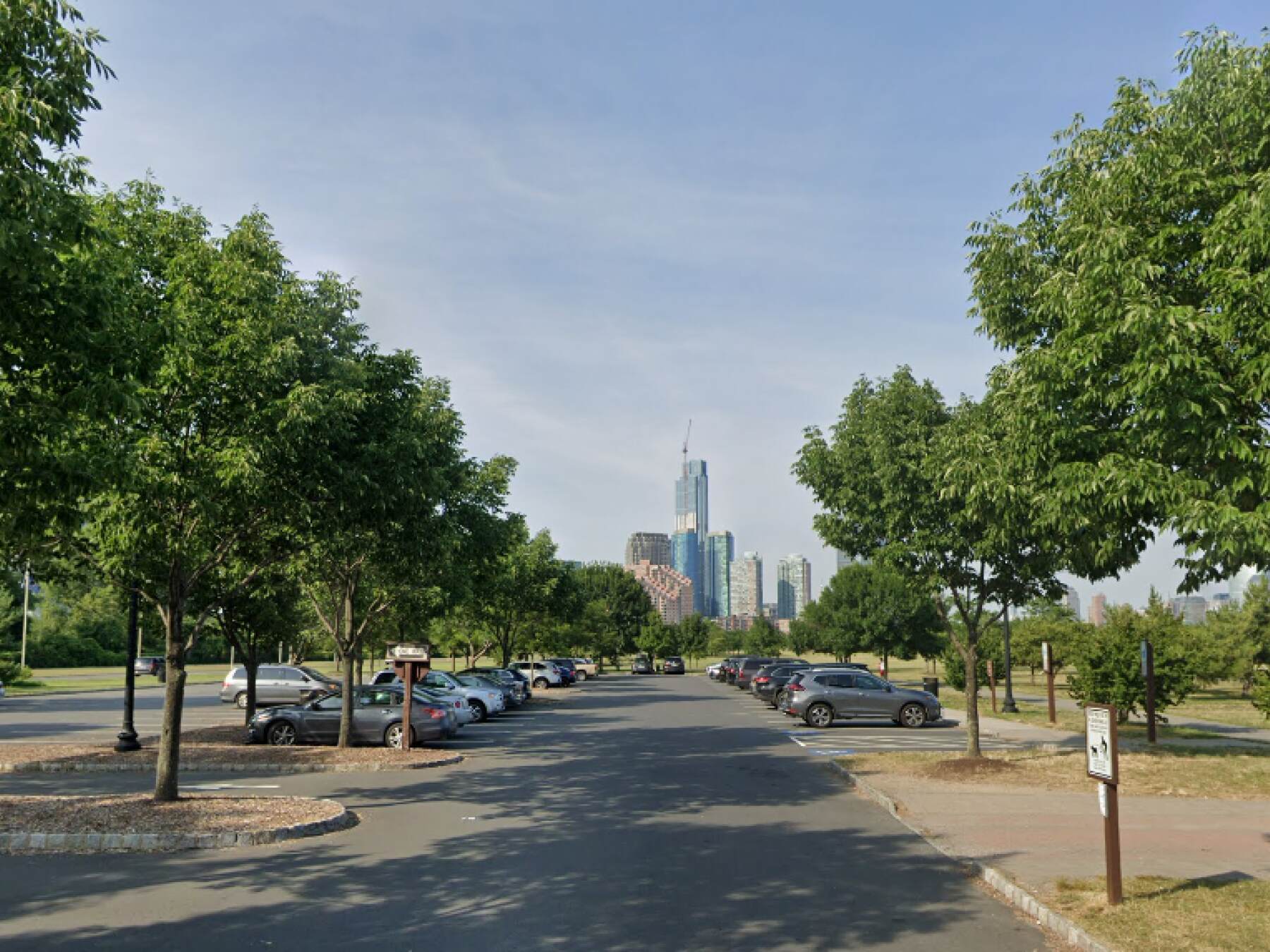
Liberty State Park
Have you ever taken a stroll through one of the most beautiful parks in New Jersey? If not, now's your chance! Liberty State Park in Jersey City is a peaceful urban oasis with incredible views of the Manhattan skyline and the Statue of Liberty.

Visitors can enjoy scenic bike rides, picnics, kayaking, fishing, bird watching, and much more.

The park features historic monuments and markers telling stories of America's past and present. Plus, there are many cultural events throughout the year that allow everyone to come out and experience this amazing place.

  https://nj.gov/dep/parksandforests/parks/libertystatepark.html
Place #2
Distance: 0.71mi
Map Pin
50 Audrey Zapp Dr, Jersey City, NJ 07305, USA
POI 2 Tour Image
Empty Sky - 9/11 Memorial
The memorial space consists of two 30-foot walls with names etched in stainless steel from each state. At sunset, one wall reflects the other and vice versa, creating an awe-inspiring sight.

As you walk through this sacred space and reflect on what happened that day, don't forget to look around and appreciate the beauty nature has to offer. Through it all we strive for peace and unity —two qualities that will never be forgotten!

  https://nj911memorial.org/empty-sky/
Tour itinerary stops | Additional places you'll see on this self-guided tour

Map Pin Place 1 Liberty State Park
Map Pin Place 2 Empty Sky - 9/11 Memorial
Map Pin Place 3 Liberty Landing Marina
Map Pin Place 4 Science center
Map Pin Place 5 New Jersey Waterfront 9/11 Memorial
Map Pin Place 6 J. Owen Grundy Park & Katyń Massacre Memorial
Map Pin Place 7 Directional
Map Pin Place 8 Van Vorst Park
Map Pin Place 9 The Historic Jersey City and Harsimus Cemetery
Map Pin Place 10 Hamilton Park
Map Pin Place 11 WORD bookstore
Map Pin Place 12 Newport Centre, indoor mall.


This is a premium tour, click below for complete access!

 
How to take a UCPlaces tour
Taking a UCPlaces tour is fun and easy.
Download the app (Android or iOS), purchase the tour (either here on the website, or from within the app).
That's it, you're ready to go!
When you want to start the tour, find the tour in the app (via a quick in-app search or by clicking the tour link received in your confirmation email) and click "Start Tour" (headphones recommended for best experience.)
* After purchasing a tour you will receive a purchase confirmation email including the tour link and instructions on how to take the tour, so you don't have to remember anything now.
How does the tour work?
UCPlaces acts as your personal tour guide, providing self-guided audio tours fully navigated within our app using GPS-based navigation. You won't need to switch between external navigation apps.
Whenever you approach a point of interest (POI) on the tour, our app will automatically play the relevant audio story at the right time and place.
If you start the tour before reaching the first POI, the app will navigate you to the starting point and then begin the tour.
How is this more convenient than a traditional tour?
UCPlaces offers an innovative and flexible way to explore exciting destinations on your terms.
Here are some key advantages over traditional tours:
  • No need to commit upfront or purchase in advance; buy a tour only when you're ready to go.
  • Walk at your own pace.
  • No waiting for groups; go on your schedule.
  • Take the tour in your preferred language.
  • Start, stop and continue the tour whenever you want.
  • Returning to the same destination? Take the tour again, and again, and again... And bring a friend!
  • Enjoy preferred prices.

What's included?
  • A self-guided audio tour taken via the UCPlaces app [Android / iOS (iPhone) / Apple CarPlay].
  • Tour route map and in-app GPS navigation (via the UCPlaces app).
  • Audio stories for places visited during the tour.
  • Apple CarPlay connection (for iOS users); for a seamless driving tour experience.
What's NOT included?
  • Earphones (highly recommended).
  • Smartphone.
  • Any kind of transportation (including tickets and passes).
  • Tickets to the attractions on your tour.
  • Food and drinks
  • Physical tour guide.

Have any questions about this tour? Or a general travel / self-guided tours question? That's completely natural

+ How long does this tour take?
Most travelers complete this tour in approximately 0.5 to 0.5 hours, depending on pace, time spent at each stop, and optional detours. Having said that, please remember that self-guided tours are extremly flexible (you can start, pause, continue anytime) and everyone has their own pace.
+ What does this tour include?
This self-guided driving tour includes 13 stops, covering top attractions such as Liberty State Park, Empty Sky - 9/11 Memorial, Liberty Landing Marina, Science center, New Jersey Waterfront 9/11 Memorial.
+ Where does the tour start?
The tour starts at Liberty State Park (Address: Unnamed Road, Jersey City, NJ 07305, USA). You can begin the tour there or join from any stop along the route.
+ What type of tour is this?
This is a self-guided driving tour designed to be completed by car, covering scenic routes, city highlights and optional key stops.
+ Can I do this tour at my own pace?
Yes, this is a self-guided driving tour, so you can start anytime and explore at your own pace. You can pause, skip stops, or spend more time at places that interest you. You can even split it into multiple days. Explore however feels right for you. The only vaiables that might affect your pace are speed limits and traffic congestion.
+ Do I need a car for this tour?
Yes, this is a driving tour, designed to be completed by car, with stops spread across different locations connected by a driving route.
+ Do I need anything in order to take the tour?
There are two things that you need - <b>1.</b> A mobile phone (with the UCPlaces app installed and active location services, and a cellular data plan with a decent signal for downloading the tour). <b>2.</b> A car. Here are some recommendations for a great experience: 1. Make sure your phone is fully charged and bring a charging cable for your car. 2. Connect your phone to the car speaker system via bluetooth or use our CarPlay/Android Auto option for the best experience.
+ How will I navigate from point to point during the tour?
The tour uses GPS-based navigation through the UCPlaces app, with automatic audio playback and step-by-step directions between stops. This works great either directly from your phone, or while connected to your car's multimedia system and using our CarPlay or Android Auto options. Just follow the route and listen to the audio guide. Use the resume feature to continue from where you recently stopped (or closed the app). Easily skip or go back to stops.
+ Is this tour suitable for families or groups?
Yes, self-guided tours are ideal for families and small groups, allowing everyone to explore comfortably without being tied to a fixed schedule.
+ What makes a self-guided tour better than a guided tour?
Self-guided tours are more flexible, affordable, and personalized. You can avoid crowds, choose your pace, and focus on the stops that interest you most.
+ I installed the app and it's now asking for GPS and media access permissions, why?
The app is your tour-guide, it needs to know where you are located on the map to be able to trigger the points of interest. It also needs access to audio and media files to provide you with this experience.
+ What happens if there are unexpected roadblocks or navigation issues?
We have been working hard to deliver a great experience. Though you may run into unexpected obstacles (the world is constantly changing), our app has multiple features and mechanisms in place to help you overcome them, including: AI assistance, force play an audio if you can't reach the stop, skip or return to stops, automatic rerouting and more.
+ Can I take the tour in my language?
Though all of our tours are primarily in English, many tours are muyltilingual (including: Spanish, German, Portuguese, French, Japanese, Hebrew, French, Arabic and more...). The tour language options depend on the specific tour - You can easily check which languages are available in the tour screen!